Structure
Organize teams and responsibilities around your reporting lines.
For companies building great things with large teams.
Bring clear structure and traceability to employee development,
and turn your people’s potential into better processes, products and services.
Connect workspaces, teams and reporting lines. See who belongs to each team and how responsibilities are organized.
View full screenshot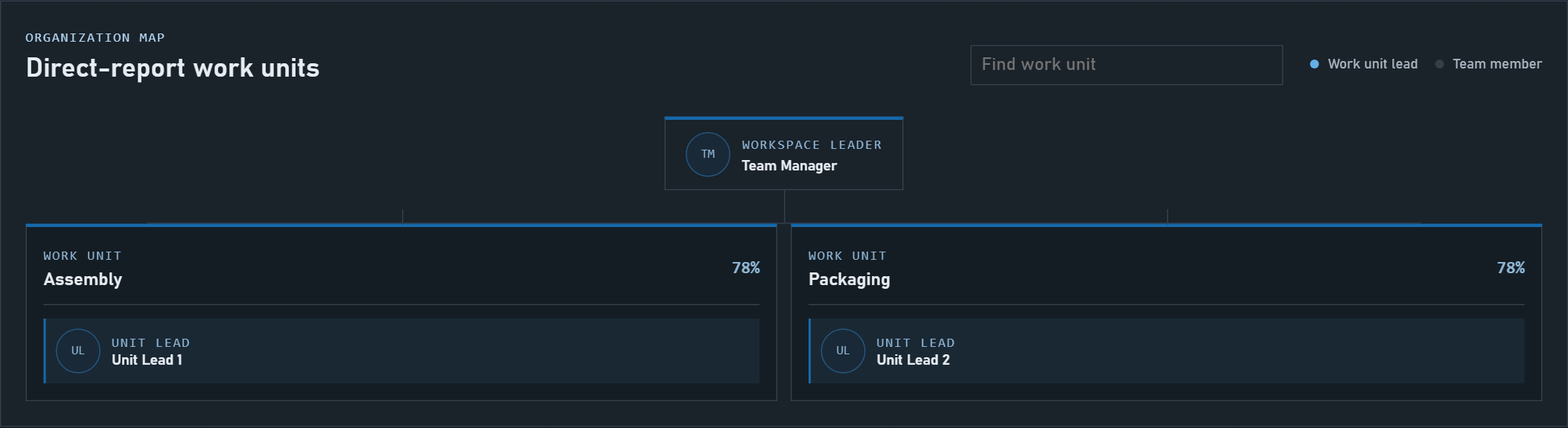
Compare assessed competency levels with the requirements of each role.
View full screenshot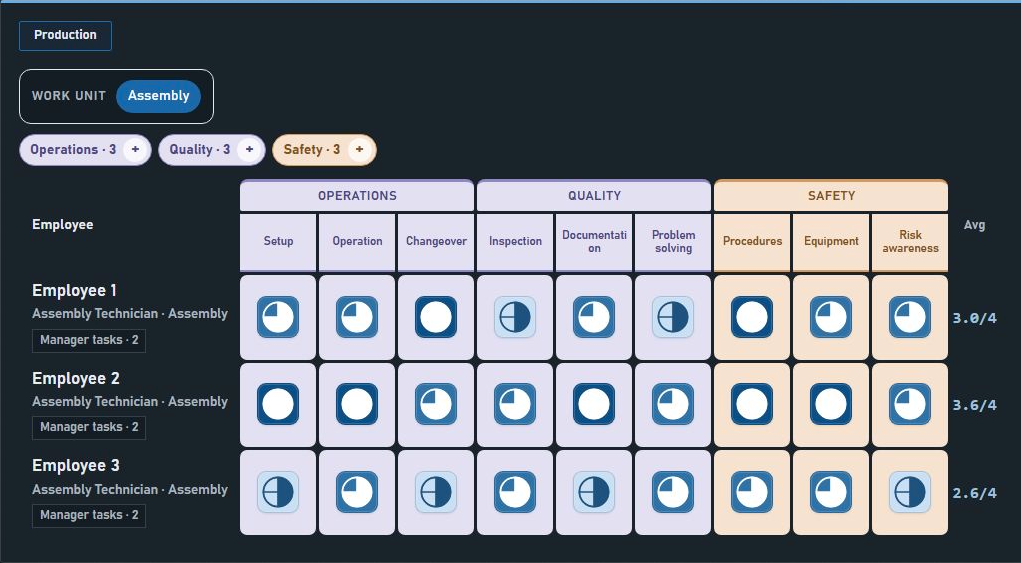
Organize teams and responsibilities around your reporting lines.
Compare assessed competency levels with the requirements of each role.
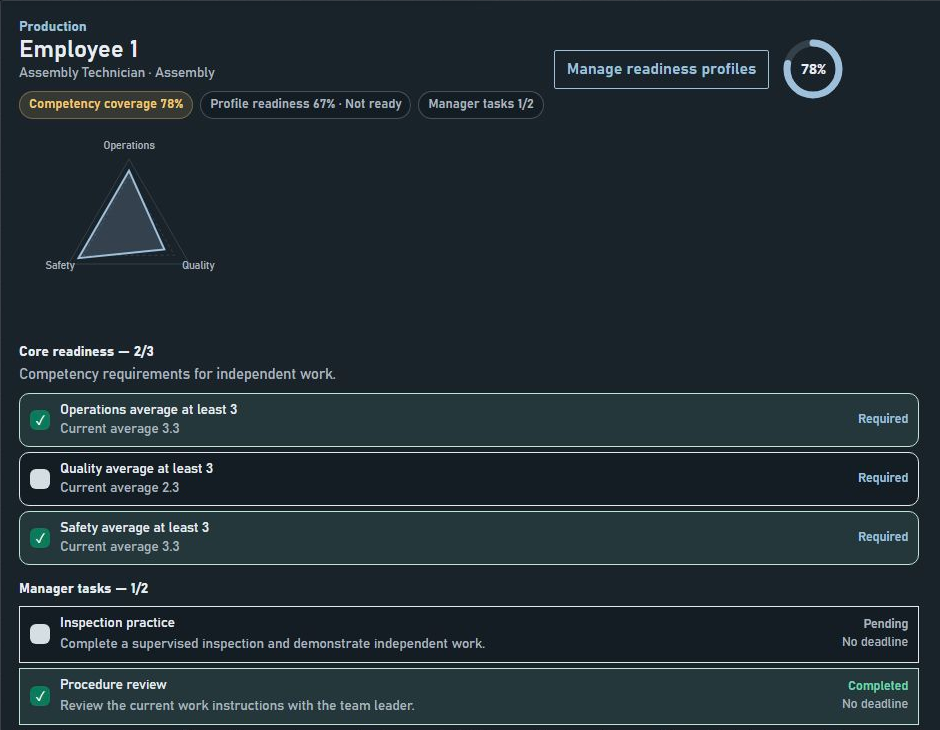
Follow readiness criteria and development tasks for each employee.
A clear connection between the work, the skills it requires and the people who do it.
Compare assessed skills with role requirements to see where support is needed. Give managers a practical basis for prioritizing training and following progress.
Connect teams, reporting lines and competency expectations in one place. Managers follow their teams, while employees see their own assessments and development priorities.
Start by defining roles, skills and an initial assessment. Then update progress during regular check-ins and after practical training. The time needed depends on team size, skill gaps and the work involved; CMXGrid helps organize that effort and keep follow-up visible.
Skills tracked in Excel are out of date the day the file is saved. CMXGrid keeps one living picture for the whole organization.
CMXGrid runs exclusively on Microsoft Azure, in your company’s own environment, so names, ratings and development plans stay with you.
The application and its database are hosted in your company’s own Azure and belong to your organization.
Employees use their existing work accounts, under your company’s security rules.
Access, backups and retention follow your own company policies.
From purchase to the first assessment, everything happens in your own Azure.
Choose the package that fits the size of your organization.
The application is installed in your company’s own Azure and is ready to use.
A guided start takes you through company, structure, roles and people. Then managers start assessing.
Short answers to what companies ask first.
In your company’s own Azure. The application and its database belong to you, and no one outside your organization has access to them.
With their existing Microsoft work accounts, under your company’s security rules.
Through Azure Marketplace. Contact us for current terms.
Organizations where managers need to know whether their people meet the requirements of their roles, such as production, operations and service teams.